Free AI
Tattoo Generator
Describe your tattoo idea — get a free design and a stencil preview. No signup, no watermark.
Kept on this device for 7 days. Designs made with a credit code can also be found on any device by entering the code.
Designing for clients, or still exploring an idea?
Two free designs a day stay free, forever. A pack adds more and unlocks 4 variations of any design in one click — no account, no subscription, and credits never expire.
40
$4.90
$0.12 per design · one-off
100
$9.90
$0.10 per design · one-off
Paid designs are the same 1024×1024 PNG as the free ones, with the same Download PNG and Make a stencil options. A pack adds designs beyond 2 a day and unlocks variations (4 designs, 4 credits). A credit is used only when a design is delivered; failed or blocked ones don’t count.
You get a code instead of an account — it works on any device, and there is nothing to cancel. Payment is handled by Stripe; we never see your card.
Four designs from this generator, turned into stencils
We typed four prompts into the generator on this page (with a test credit code — it changes the daily count, not the picture), then sent each result to the stencil tool with the “Make a stencil” button and kept the default sliders: line detail 55, line weight 1. Both images are the files the tools returned, only resized for this page.
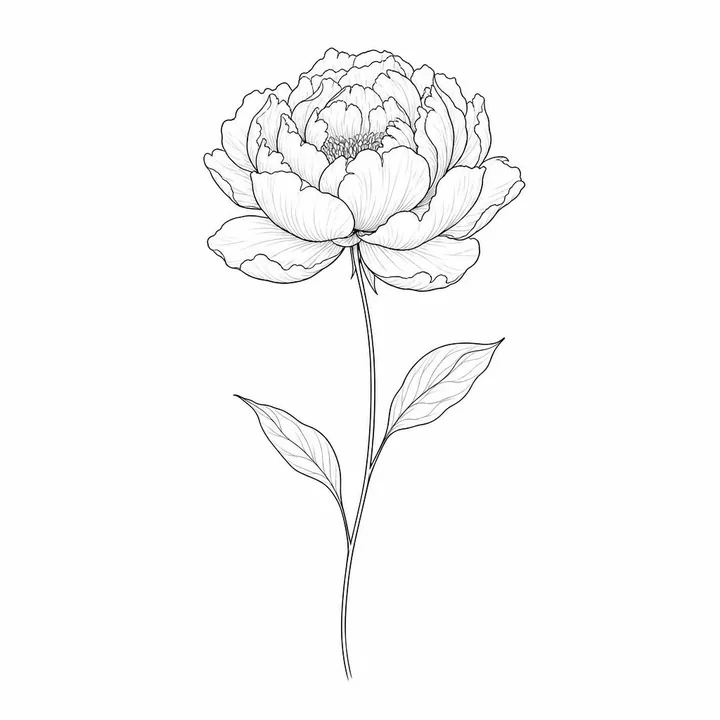 Generated design
 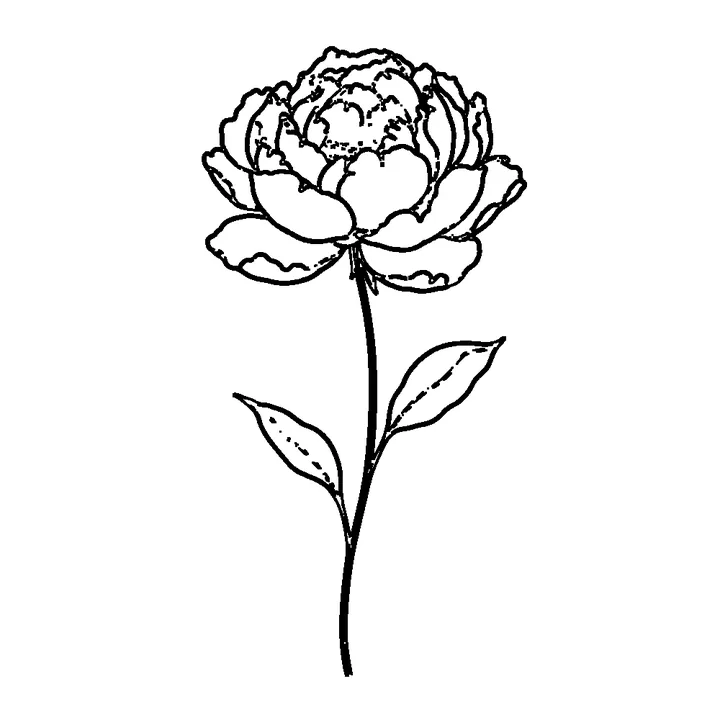 Stencil (default settings)
 Prompt: “a single peony flower on a long thin stem with two leaves”
The outer petal outlines survive. The fine veins in the petals and leaves drop out, the two thin edges of the stem merge into one heavy line, and the stamens break into dashes — fine-line work loses the most at the default settings.
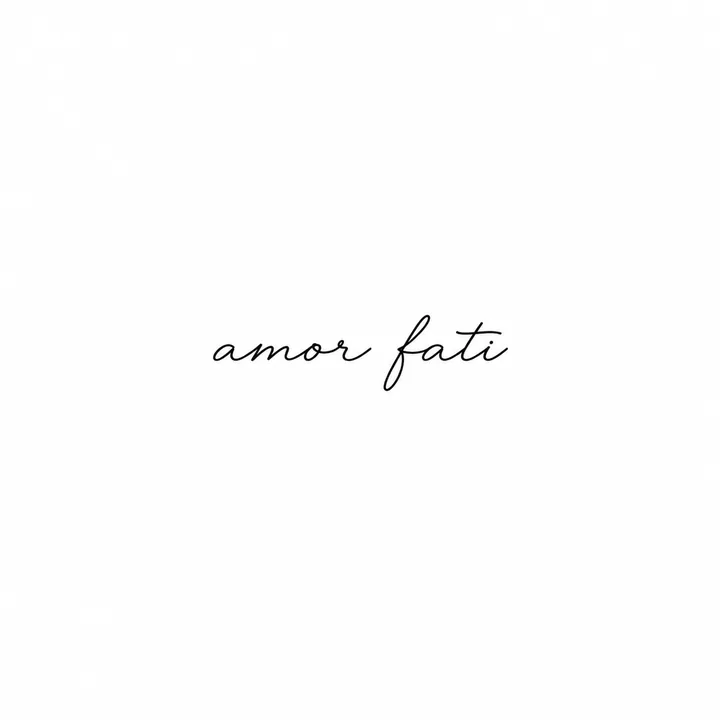 Generated design
 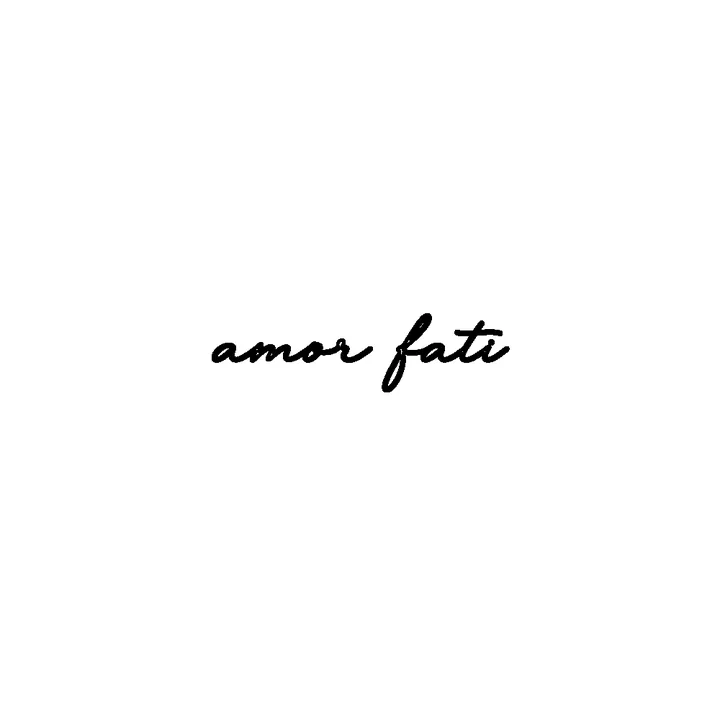 Stencil (default settings)
 Prompt: “the words "amor fati" written in small flowing script”
The spelling came out right this time, but lettering is not a dedicated style here — the generator’s instructions ask for no text — so check every letter. The script fills only a thin band of the canvas, and the stencil thickens its hairlines into bold strokes.
 Generated design
 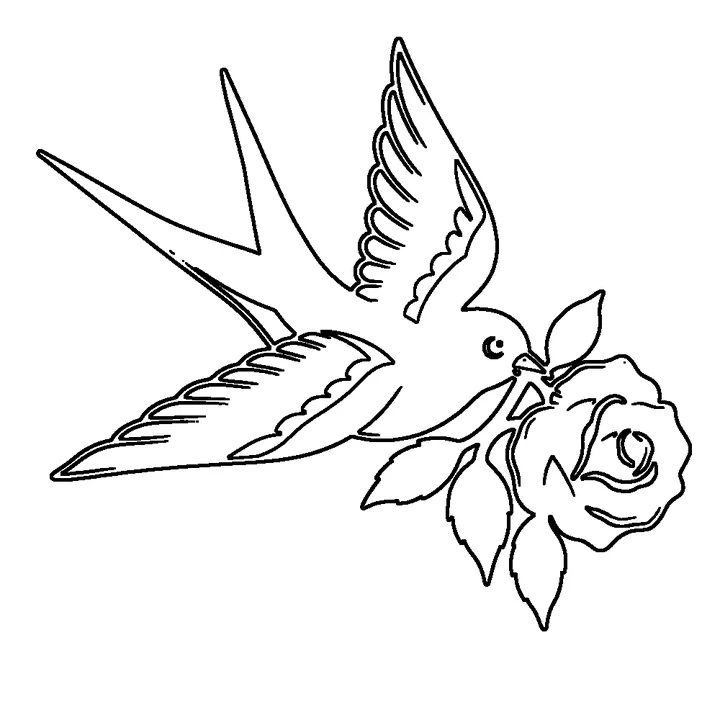 Stencil (default settings)
 Prompt: “a swallow carrying a red rose”
It came back in full colour — red, yellow, navy and green — even though the generator asks for black linework. The stencil keeps only edges: colour fills disappear, and each thick black outline becomes a double line because the tracer finds both sides of it.
 Generated design
  Stencil (default settings)
 Prompt: “a moth with solid black wings”
Solid black areas become outlines — a stencil carries lines, not fills — so the wings turn into shapes to be filled in by hand. The feathered antennae survive as short strokes.
What we measured
- Time: 59, 75, 88 and 249 seconds for these four (the slowest on a busy evening).
- Size: square PNGs, 1024 × 1024 or 1254 × 1254 px. The stencil tool works at up to 1000 px on the longest side, so its PNG is 1000 × 1000 here.
- Print: “Download print PDF” makes one page. On A4 the stencil is drawn 186 × 186 mm inside a 12 mm margin — about 137 pixels per inch for a 1000 px square. The whole canvas is scaled, white margins included, so the “amor fati” lettering prints about 77 mm wide. Print at 100% and resize in your printer dialog if you need a set size.
- Mirror: the “Mirror (for transfer paper)” box flips the image left to right in the PDF — we compared the file with the PNG. It adds no registration marks and does not change line weight.
- Colour: the generator can return colour; the stencil is always black lines on white.
Browse tattoo ideas with their prompts
Idea to artist-ready stencil
Describe or browse
Type your idea or pick a ready-made design from the gallery — every one comes with its prompt.
Get a design + stencil
Turn any design into a clean black-and-white stencil your artist can actually print and use.
Take it to your artist
Download free, bring the reference to a licensed artist who adapts it to your body and placement.
Questions
Is the AI tattoo generator really free?
Yes. Browsing the gallery and downloading designs is free with no signup and no watermark. Live generation, when enabled, is free up to a daily limit — no account or credit card.
Can I bring these designs to my tattoo artist?
Yes — that is the point. Every design can be turned into a clean, printable stencil your artist can use as a reference. Final placement and feasibility are always up to your artist.
Can I actually get one of these tattoos?
These are AI-generated inspiration references, not finished tattoos. Take a design (and its stencil) to a licensed tattoo artist who will adapt it for your body and placement.